With cyber threats evolving faster than ever, finding the top 10 antivirus solutions for 2026 is no longer just a recommendation—it is a necessity for your digital safety. Whether you are using your PC for work, gaming, online banking, or managing sensitive business data, a powerful antivirus suite is now the only barrier between your personal information and sophisticated attackers.
In 2026, the cybersecurity landscape has changed dramatically. We are seeing a rapid rise in AI-driven malware, smart ransomware, and advanced data-stealing threats that can bypass traditional defenses. This means the basic security tools of the past are no longer enough. You now need modern antivirus software with real-time protection, machine learning threat detection, and minimal system impact.
Fortunately, the best antivirus providers for Windows, Android, and PC have stepped up their game. Today’s security solutions are lighter, faster, and more intelligent, offering complete protection without slowing down your system. Many now include VPNs, identity theft protection, firewall security, and phishing defense as part of a full security suite.
In this guide, we have tested, compared, and ranked the top 10 antivirus software in 2026 based on detection rates, performance impact, features, ease of use, and price. If you are looking for the best antivirus software that delivers maximum protection without slowing down your device, this list will help you choose the perfect option.
Why You Need Antivirus Software in 2026
In 2026, relying on basic, built-in security is a gamble you cannot afford to take. Cybercriminals now utilize AI-driven malware and “smart” ransomware that can learn your habits and bypass standard firewalls within seconds. Effective antivirus software acts as a critical 24/7 guard, employing advanced behavioral analysis to detect these invisible threats before they can lock your files or steal your financial data.
The risks are universal, whether you are on a PC or a mobile device. Windows users face sophisticated spyware that tracks keystrokes, while Android users are increasingly targeted by “smishing” (SMS phishing) attacks hidden in seemingly harmless apps. The top 10 antivirus suites listed in this guide are designed to neutralize these specific dangers, blocking malicious links and quarantining infected files instantly to keep your identity secure.
When choosing the best antivirus for your needs, look beyond simple virus scanning. The gold standard in 2026 includes real-time threat detection, a lightweight design that won’t slow down your gaming or streaming, and multi-device compatibility. Investing in a comprehensive security suite today is the smartest way to future-proof your digital life against the aggressive cyber threats of tomorrow.
| Top 10 Antivirus | Best For | Key Feature | Rating | Price / Year | Website |
|---|---|---|---|---|---|
| 1. Bitdefender | 🏆 Editor’s Choice | Autopilot Security | ★★★★★ | ~$29.99 | Check Price › |
| 2. Norton 360 | All-in-One | Identity Protection | ★★★★★ | ~$39.99 | Check Price › |
| 3. Kaspersky | High Security | 100% Detection | ★★★★★ | ~$44.99 | Check Price › |
| 4. McAfee | Families | Unlimited Devices | ★★★★☆ | ~$39.99 | Check Price › |
| 5. Avast One | Free / Budget | Performance Booster | ★★★★☆ | Free / $35.88 | Check Price › |
| 6. Trend Micro | Banking | Pay Guard Browser | ★★★★☆ | ~$19.95 | Check Price › |
| 7. Sophos Home | Remote IT | Remote Management | ★★★★☆ | ~$44.99 | Check Price › |
| 8. ESET | 🎮 Gamers | Zero System Lag | ★★★★☆ | ~$49.99 | Check Price › |
| 9. Webroot | Old PCs | Fast Cloud Scans | ★★★☆☆ | ~$29.99 | Check Price › |
| 10. Malwarebytes | Removal | Virus Cleanup | ★★★★☆ | Free / $44.99 | Check Price › |
1. Bitdefender Antivirus (2026 Editor’s Choice)
Overview
Bitdefender continues to dominate the cybersecurity landscape in 2026, consistently ranking as the best antivirus for detection rates and performance. Unlike older security suites that drag down your system speed, Bitdefender uses a cloud-based scanning engine that is incredibly lightweight. It offers “set-it-and-forget-it” peace of mind, automatically blocking threats without bothering you with constant pop-ups. For users seeking the top 10 antivirus options, Bitdefender sits firmly at #1 due to its flawless mix of power and usability.
Key Features
- Advanced Threat Defense: Uses behavioral intelligence to monitor active apps and block zero-day threats instantly.
- Multi-Layer Ransomware Protection: specifically shields your documents, images, and videos from encryption attacks.
- Scam Copilot (AI-Powered): A new 2026 feature that uses AI to detect and warn you about complex phishing scams and chatbot fraud.
- Bitdefender VPN: encrypts your internet traffic (200MB/day on standard plans; unlimited on Premium).
- Safepay: A dedicated, isolated browser for secure online banking and shopping.
⭐ Overall Rating
4.8 / 5 — One of the best all-around security suites for Windows users.
✅ Pros & ❌ Cons
Pros
- ✅ 100% malware detection rate in 2025/26 labs
- ✅ Minimal impact on system performance
- ✅ Excellent “Scam Copilot” AI protection
- ✅ Comprehensive parental controls
- ✅ Very strong ransomware and zero-day protection
Cons
- ❌ Standard VPN is limited to 200MB/day
- ❌ Full feature set is Windows-centric
- ❌ Renewal prices are higher than first-year deals
- ❌ Some advanced features may overwhelm beginners
💰 Bitdefender Pricing (2026)
| Plan | First Year Price | Renewal Price |
|---|---|---|
| Bitdefender Antivirus Plus | ~$29.99 / year | ~$59.99 / year |
| Bitdefender Total Security (5 Devices) | $59.99 / year | $109.99 / year |
| Bitdefender Premium Security | $79.99 / year | $129.99 / year |
🔍 What Makes Bitdefender Different?
- AI-based real-time behavioral threat detection
- Industry-leading ransomware remediation
- Advanced web protection against phishing & scams
- Cloud-based signature updates for zero-day threats
- Excellent balance between security and performance
Best For
Bitdefender is the antivirus software of choice for Windows users who want maximum security without compromising speed. It is also perfect for families who need to cover multiple devices (PC, Android, and Mac) under a single affordable license.
2. Norton 360 (Best for All-in-One Security)
Overview
If you are looking for more than just a virus scanner, Norton 360 is arguably the most complete security suite on the market in 2026. It transforms your device’s security into a digital fortress. While some antivirus software focuses solely on malware, Norton integrates comprehensive identity protection directly into its dashboard. It consistently ranks in the top 10 antivirus lists because it offers everything—VPN, cloud backup, and dark web monitoring—under one roof.
Key Features
- 100% Virus Protection Promise: Norton is so confident in its defense that they offer a refund if they can’t remove a virus from your device.
- LifeLock Integration: Available on higher tiers, this provides industry-leading identity theft protection and financial reimbursement.
- Secure VPN: Unlike many competitors, Norton offers unlimited VPN data on most 360 plans to encrypt your browsing history.
- Cloud Backup: Automatically backs up your important PC files (up to 500GB) to prevent data loss from ransomware.
- Dark Web Monitoring: Scans the dark web for your personal info (email, credit cards) and alerts you immediately if it’s found.
⭐ Overall Rating
4.7 / 5 — One of the best security suites for identity protection and all-in-one coverage.
✅ Pros & ❌ Cons
Pros
- ✅ Excellent 100% malware detection scores
- ✅ Unlimited VPN included in standard 360 plans
- ✅ Best-in-class identity theft protection
- ✅ 60-day money-back guarantee
Cons
- ❌ Can be resource-heavy during full system scans
- ❌ Interface can feel “noisy” with upsell notifications
- ❌ Renewal prices jump significantly after the first year
💰 Norton 360 Pricing (2026)
| Plan | First Year Price | Renewal Price |
|---|---|---|
| Norton AntiVirus Plus | $29.99 / year | $59.99 / year |
| Norton 360 Standard | $39.99 / year | $94.99 / year |
| Norton 360 Deluxe (5 Devices) | $49.99 / year | $119.99 / year |
| Norton 360 with LifeLock Select | $99.99 / year | $179.99 / year |
Best For
Norton 360 is the ultimate choice for families and privacy-conscious users who want a single subscription to cover every aspect of their digital life. If you need robust identity theft protection alongside your antivirus software, Norton is unrivaled.
3. Kaspersky Premium (Best for Malware Detection)
Overview
Kaspersky remains a heavyweight in the cybersecurity world, widely recognized for having one of the most effective anti-malware engines in history. In 2026, it continues to score perfect 100% detection rates in independent lab tests. While it faces geopolitical restrictions in the United States, for the rest of the world (Europe, Asia, and Latin America), it stands as a top-tier choice. Its ability to detect sophisticated, fileless malware without slowing down your PC makes it a staple in any list of the top 10 antivirus software.
Key Features
- Triple-Layer Protection: Proactively detects vulnerabilities, blocks real-time threats, and neutralizes instant attacks.
- Safe Money: An encrypted browser window that secures your online transactions from keyloggers and screen capture tools.
- Smart Home Monitor: Shows you every device connected to your Wi-Fi and alerts you to unprotected intruders.
- Identity Protection Wallet: Encrypted storage for your sensitive documents (like IDs and passports) to prevent identity theft.
- Kaspersky Safe Kids: Includes GPS tracking and content filtering, making it excellent for parents.
⭐ Overall Rating
4.6 / 5 — Outstanding protection quality with political/geographical availability concerns.
✅ Pros & ❌ Cons
Pros
- ✅ Consistently achieves 100% malware detection scores
- ✅ Extremely lightweight impact on system performance
- ✅ “Safe Money” feature is best-in-class for online payments
- ✅ Excellent protection against stalkerware and spyware apps
Cons
- ❌ Unavailable in the USA (banned due to government regulations)
- ❌ Interface can be complex for beginners
- ❌ VPN is separate or limited on lower-tier plans
💰 Kaspersky Pricing (2026)
| Plan | First Year Price | Renewal Price |
|---|---|---|
| Kaspersky Standard | $44.99 / year | $59.99 / year |
| Kaspersky Plus | $55.99 / year | $79.99 / year |
| Kaspersky Premium | $58.99 / year | $89.99 / year |
Best For
Kaspersky Premium is the best antivirus for users outside the US who prioritize raw detection power and system performance above all else. It is highly recommended for gamers and tech enthusiasts in Europe and Asia who need a security suite that runs silently in the background without causing lag.
4. McAfee Total Protection (Best for Families & Unlimited Devices)
Overview
McAfee has completely reinvented itself in 2026, shifting from a simple virus scanner to a full-service family safety platform. It earns its spot in our top 10 antivirus list primarily for one massive advantage: unlimited device protection. While most competitors charge extra for every new tablet or phone you add, McAfee’s top-tier plans let you secure every device in your household under a single subscription. It is the best antivirus value for modern homes filled with smart gadgets.
Key Features
- Unlimited Device Coverage: Install protection on every Windows PC, Mac, Android, and iOS device you own without hitting a limit (on Premium plans and up).
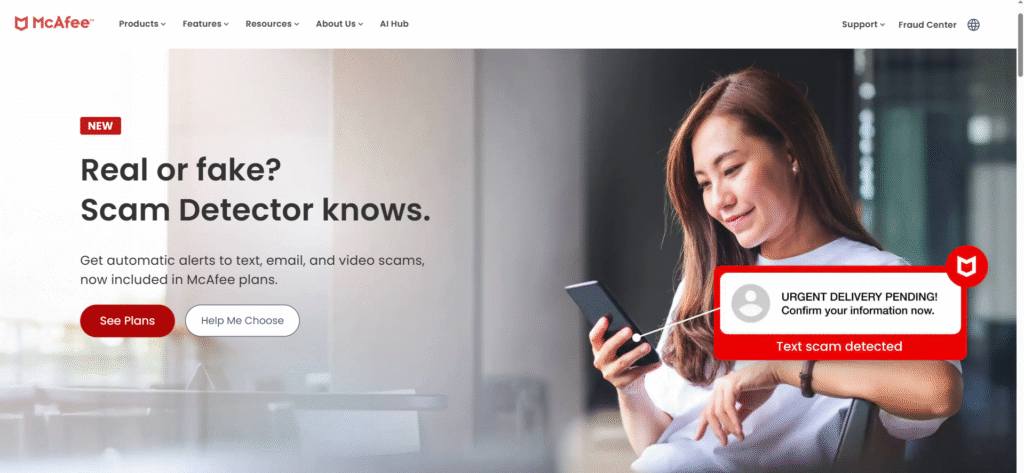
- AI-Powered Scam Protection: A standout 2026 feature that proactively detects and blocks dangerous links in SMS texts, social media, and emails before you click.
- Protection Score: A unique, gamified dashboard that checks your security health and gives you simple steps to improve it.
- Identity Monitoring: Constantly scans the dark web for your email, ID, and phone number, alerting you up to 10 months sooner than traditional credit checks.
- Secure VPN: Turns on automatically when you connect to public Wi-Fi to keep your browsing private.
⭐ Overall Rating
4.3 / 5 — Excellent identity protection and device coverage, but expensive renewals.
✅ Pros & ❌ Cons
Pros
- ✅ Unlimited device support (Premium/Advanced plans)
- ✅ Excellent scam protection for mobile texts
- ✅ User-friendly “Protection Score” dashboard
- ✅ Strong identity theft coverage included
Cons
- ❌ Full system scans can be slower than competitors
- ❌ Pop-ups for additional features can be annoying
- ❌ High renewal price after the first year
💰 McAfee Pricing (2026)
| Plan | First Year Price | Renewal Price |
|---|---|---|
| McAfee Total Protection Basic (1 Device) | $29.99 / year | $84.99 / year |
| McAfee+ Premium (Unlimited Devices) | $49.99 / year | $139.99 / year |
| McAfee+ Advanced (Unlimited Devices) | $89.99 / year | $199.99 / year |
Best For
McAfee is the undisputed champion for families with many devices. If you need antivirus software that covers Mom’s laptop, Dad’s phone, the kids’ tablets, and the home desktop—all for one price—McAfee is your best choice.
5. Avast One & Premium Security (Best Free Option)
Overview
Avast continues to be a household name in 2026, largely because it offers one of the most generous free versions on the market. For millions of users, it serves as the entry point into cybersecurity. However, their paid suite, Avast One, is a serious contender for the title of best antivirus for performance tuning and privacy. It combines award-winning antivirus protection with tools to speed up your PC, making it a unique hybrid in our top 10 antivirus list.
Key Features
- Smart Scan: A single click checks your device for malware, software vulnerabilities, and network issues simultaneously.
- Ransomware Shield: Adds an extra layer of protection to your most sensitive folders, preventing unauthorized apps from changing or deleting your photos and documents.
- Wi-Fi Inspector: Scans your home network for vulnerabilities, such as weak router passwords or unauthorized devices piggybacking on your connection.
- Sandbox: Allows you to open suspicious files in a safe, isolated environment before they can touch your actual PC.
- Passive Mode: Lets you run Avast alongside other antivirus software without causing conflicts—perfect for users who want a second opinion.
⭐ Overall Rating
4.2 / 5 — Excellent free version and features, but ads and past privacy concerns hold it back.
✅ Pros & ❌ Cons
Pros
- ✅ Excellent free version with real-time protection
- ✅ User-friendly, modern interface (Avast One)
- ✅ “Do Not Disturb” mode is great for gaming
- ✅ Includes PC cleanup and speed-up tools
Cons
- ❌ Free version includes frequent upsell pop-ups
- ❌ Privacy reputation is still recovering from past data issues
- ❌ Full system scans can be slower than Bitdefender
💰 Avast Pricing (2026)
| Plan | First Year Price | Renewal Price |
|---|---|---|
| Avast One Silver (Individual) | $35.88 / year | $89.99 / year |
| Avast Premium Security (10 Devices) | $49.08 / year | $99.99 / year |
| Avast One Gold (Family, 30 Devices) | $83.88 / year | $179.99 / year |
Best For
Avast is undoubtedly the best choice for budget-conscious users and students who need reliable protection without spending a dime. The paid versions are excellent for non-tech-savvy users who want a simple, colorful dashboard that handles security and PC performance in one place.
6. Trend Micro Maximum Security (Best for Safe Banking & Social Media)
Overview
Trend Micro has carved out a unique niche in the 2026 cybersecurity market by focusing heavily on financial safety and social media privacy. While other antivirus software prioritizes technical customization, Trend Micro aims to be the most user-friendly shield for your daily digital life. It consistently appears in top 10 antivirus lists for its superior anti-phishing technology and ability to block dangerous links on social platforms that other scanners often miss.
Key Features
- Pay Guard: A specialized, hardened browser window that automatically opens when you visit banking or shopping sites, locking out keyloggers and spyware.
- Social Media Privacy Scanner: Scans your Facebook, X (Twitter), and LinkedIn profiles to identify risky privacy settings and fix them with one click.
- Folder Shield: Specifically protects your local documents and cloud-synced folders (like Dropbox and Google Drive) from ransomware encryption.
- Deepfake Inspector (New for 2026): Uses AI to verify video calls in real-time, alerting you if the person on the other end is using a face-swapping scam filter.
- Mobile Security: One of the highest-rated apps for Android and iOS, offering robust protection against malicious apps and unsafe Wi-Fi networks.
⭐ Overall Rating
4.0 / 5 — Excellent web and banking protection, but heavier system impact and false positives reduce the score.
✅ Pros & ❌ Cons
Pros
- ✅ Pay Guard provides industry-leading banking protection
- ✅ Excellent protection against phishing and “smishing” links
- ✅ Unique tools to secure social media accounts
- ✅ Simple, intuitive interface for beginners
Cons
- ❌ Full system scans can significantly slow down older PCs
- ❌ High rate of false positives (flags safe files)
- ❌ No proprietary firewall (uses Windows Firewall booster)
💰 Trend Micro Pricing (2026)
| Plan | First Year Price | Renewal Price |
|---|---|---|
| Antivirus+ Security | $19.95 / year | $39.95 / year |
| Maximum Security (5 Devices) | $49.95 / year | $89.95 / year |
| Premium Security Suite (10 Devices) | $59.95 / year | $129.95 / year |
Best For
Trend Micro is the ideal antivirus software for online shoppers and social media enthusiasts who want automated protection. Its "set-it-and-forget-it" nature makes it perfect for non-tech-savvy users who want to ensure their bank accounts and Facebook profiles are secure without tinkering with complex settings.
7. Sophos Home Premium (Best for Remote Management)
Overview
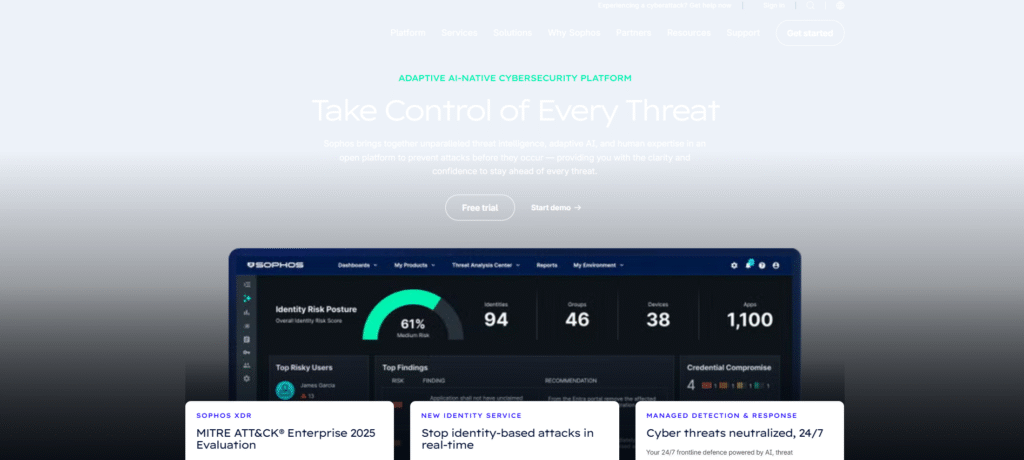
Sophos takes a completely different approach than most other antivirus software. Instead of a complex control panel on your desktop, it uses a cloud-based dashboard—the exact same technology used by Fortune 500 companies. This makes Sophos Home Premium the top 10 antivirus choice for anyone who acts as the “IT support” for their family. It allows you to manage security for computers in different houses (or even different countries) from a single web page.
Key Features
- Remote Management Dashboard: The standout feature. You can run scans, fix security issues, and change settings for your parents’ or kids’ computers remotely from your own browser.
- Predictive AI Threat Detection: Uses enterprise-grade deep learning to identify and block never-before-seen malware without waiting for virus definition updates.
- CryptoGuard Ransomware Protection: Specifically monitors for file encryption. If ransomware attacks, it stops the process and automatically rolls back your files to their original state.
- Parental Web Filtering: Allows you to block entire categories of websites (like gambling or adult content) across all managed devices.
- Privacy Protection: Alerts you if an unauthorized app tries to access your webcam or microphone.
⭐ Overall Rating
4.2 / 5 — Excellent multi-device control and ransomware protection, but limited local controls and fewer extras.
✅ Pros & ❌ Cons
Pros
- ✅ Best-in-class remote management for up to 10 devices
- ✅ Enterprise-grade ransomware rollback technology
- ✅ Excellent value for protecting many computers
- ✅ Simple “set and forget” interface for end users
Cons
- ❌ No granular settings in desktop app (web dashboard required)
- ❌ Full system scans can be slower than competitors
- ❌ Lacks extras like VPN or system optimizer
💰 Sophos Pricing (2026)
| Plan | Price |
|---|---|
| Sophos Home Premium (1 Year) | $44.99 / year (Renewal: $59.99) |
| 2-Year Plan | ~$74.99 (Best Value) |
| 3-Year Plan | ~$104.99 |
Best For
Sophos Home is the ultimate antivirus software for the Family IT Manager. If you are responsible for keeping your parents', grandparents', or children's computers safe and don't want to drive to their house to fix a virus, this is the best antivirus for you.
8. ESET HOME Security (Best for Gamers & Performance)
Overview
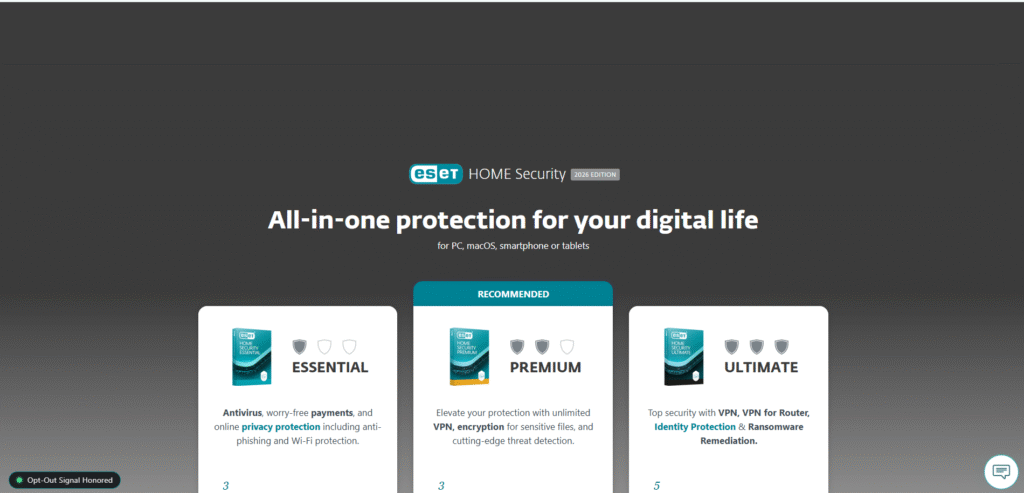
For decades, ESET has held a legendary reputation among tech enthusiasts for being the lightest, fastest security engine available. In 2026, it remains the best antivirus for users who demand high performance without the lag. Unlike heavier suites that can bog down your PC during updates or scans, ESET runs almost invisibly in the background. It earns a secure spot in our top 10 antivirus list because it proves that powerful protection doesn’t have to come at the cost of system speed.
Key Features
- Legendary NOD32 Technology: The core engine that made ESET famous, offering lightning-fast scans and precise malware detection.
- Gamer Mode: Automatically switches to silent mode when you launch a game or full-screen app, pausing pop-ups and updates to save system resources.
- Banking & Payment Protection: A secured browser mode that encrypts your keystrokes to protect you from keyloggers while you shop or pay bills.
- Network Inspector: Shows you exactly who is connected to your home Wi-Fi and scans your smart devices (like IoT fridges or thermostats) for vulnerabilities.
- Intel Threat Detection: Exclusive hardware-level security that works with Intel processors to detect ransomware attempting to evade software scanners.
⭐ Overall Rating
4.4 / 5 — Exceptional performance and advanced protection, but not beginner-friendly and missing iOS support.
✅ Pros & ❌ Cons
Pros
- ✅ Lowest system impact on the market (perfect for gaming)
- ✅ Excellent detection of fileless malware and malicious scripts
- ✅ Highly customizable for advanced users
- ✅ “Gamer Mode” is a true industry standard
Cons
- ❌ Interface can be technical and intimidating for beginners
- ❌ VPN and Identity Protection only in expensive Ultimate plan
- ❌ No support for iOS (iPhone/iPad) devices
💰 ESET Pricing (2026)
| Plan | Price |
|---|---|
| ESET HOME Security Essential | $49.99 / year |
| ESET HOME Security Premium | $59.99 / year |
| ESET HOME Security Ultimate | $119.99 / year |
Best For
ESET is the undisputed champion for PC gamers, developers, and power users who need their machine to run at peak performance. If you have a custom-built PC and hate it when antivirus software slows you down, ESET is the upgrade you need.
9. Webroot SecureAnywhere (Best for Older PCs & Speed)
Overview
Webroot is unique in the antivirus software market because it lives almost entirely in the cloud. Unlike traditional scanners that download massive databases of virus definitions to your hard drive, Webroot keeps all that data online. This results in the smallest installation file in the industry (less than 5MB) and lightning-fast scans that take seconds, not minutes. It is the top 10 antivirus pick for users who want protection that doesn’t eat up storage space or slow down their system.
Key Features
- Cloud-Based Architecture: All the heavy lifting is done on Webroot’s servers, meaning your PC stays fast and free of clutter.
- Ransomware Rollback: If a suspicious file manages to encrypt your data, Webroot’s “journaling” technology can reverse the changes and restore your files automatically.
- Identity Shield: Blocks keyloggers and spyware from stealing your passwords or credit card numbers while you browse banking sites.
- System Optimizer: (Available in “Complete” plans) Wipes away digital footprints and temporary files to improve computer privacy and performance.
- Mobile Protection: Secures Android and iOS devices against malicious apps and unsecure Wi-Fi networks.
⭐ Overall Rating
4.2 / 5 — Lightning-fast scans and strong ransomware protection, but behavior-based engine can give inconsistent lab scores.
✅ Pros & ❌ Cons
Pros
- ✅ Fastest scans in the industry (~20 seconds)
- ✅ Tiny installation size, won’t fill your hard drive
- ✅ Effective “Rollback” feature for ransomware
- ✅ Generous 70-day money-back guarantee
Cons
- ❌ Requires internet connection for full protection
- ❌ Lab test scores inconsistent due to behavior-based engine
- ❌ Interface looks slightly dated compared to modern competitors
💰 Webroot Pricing (2026)
| Plan | Price |
|---|---|
| Webroot Antivirus (1 Device) | $29.99 / year (1st year) | Renewal: $39.99/year |
| Internet Security Plus (3 Devices) | $44.99 / year (1st year) | Renewal: $59.99/year |
| Internet Security Complete (5 Devices) | $59.99 / year (1st year) | Renewal: $79.99/year |
Best For
Webroot is the absolute best antivirus for users with older computers, netbooks, or laptops with limited storage. It is also excellent for gamers who want zero lag, as it uses almost no system resources while running.
10. Malwarebytes Premium (Best for Removal & Second Opinions)
Overview
Malwarebytes has achieved legendary status in the tech community, often being the “hero” tool that fixes computers when other security software fails. While it started as a simple malware cleaner, the 2026 Premium version is a full-fledged antivirus software suite. It earns its place in our top 10 antivirus ranking because of its aggressive detection engine, which is exceptionally good at finding hidden threats, adware, and “Potentially Unwanted Programs” (PUPs) that traditional scanners ignore.
Key Features
- Katana Engine: A highly aggressive detection engine that targets zero-hour threats and evolving malware signatures before they are widely known.
- Ransomware Protection: A dedicated layer of defense that monitors system activity for encryption behavior and blocks ransomware attacks instantly.
- Browser Guard: An excellent browser extension that blocks tech support scams, annoying ads, and trackers 4x faster than standard ad blockers.
- Brute Force Protection: Prevents hackers from guessing your login credentials to take over your PC remotely (RDP attacks).
- Exploit Protection: Shields vulnerable software on your computer from being used by hackers to inject malware.
⭐ Overall Rating
4.5 / 5 — Excellent malware removal and ad-free browsing, though full system scans can be slightly slower than top competitors.
✅ Pros & ❌ Cons
Pros
- ✅ Industry-best malware removal: Cleans infections others miss
- ✅ Extremely lightweight and compatible with other antiviruses
- ✅ Simple, no-nonsense interface
- ✅ Excellent “Browser Guard” for ad-free surfing
Cons
- ❌ Free version does not include real-time protection
- ❌ Fewer “extra” features (no parental controls or backup)
- ❌ Full system scans can be slower than average
💰 Malwarebytes Pricing (2026)
| Plan | Price |
|---|---|
| Malwarebytes Standard (3 Devices) | $59.99 / year |
| Malwarebytes Plus (VPN included) | $79.99 / year |
| Malwarebytes Ultimate (Identity Protection) | $139.99 / year |
Best For
Malwarebytes is the best antivirus choice for users who suspect their computer is already infected and need a powerful cleaner. It is also perfect as a secondary defense for users who want to run it alongside Microsoft Defender for maximum security coverage.
Best Antivirus for Windows 11 & Windows 10
Windows remains the world’s most popular operating system, which unfortunately makes it the number one target for hackers. While Windows 11 and 10 come with built-in security, it often lacks the advanced layers needed to stop sophisticated ransomware or zero-day exploits. To truly secure your PC, you need dedicated antivirus software that offers proactive defense without dragging down your system’s performance.
From our top 10 antivirus list, a few stand out specifically for their integration with the Windows ecosystem. These choices offer superior protection levels, minimal system impact, and features designed to enhance the Windows experience.
- Bitdefender Antivirus Plus: Widely considered the best antivirus for Windows, it balances ironclad security with an ultra-light footprint. It features a unique “Autopilot” mode that adjusts security settings based on your Windows usage, ensuring you are protected without constant interruptions.
- Norton 360: A powerhouse for Windows users who want total coverage. It includes vital tools like a Smart Firewall and Cloud Backup specifically designed to protect your PC files from encryption attacks. Its integration with Windows makes it a robust shield against complex threats.
- ESET HOME Security: The top choice for Windows power users and gamers. ESET is famous for its low system impact, meaning it won’t slow down your boot times or FPS. It offers granular control over security settings, making it ideal for those who want to tweak their protection levels.
Choosing the right antivirus software for Windows 11 or 10 ensures that your personal data, banking information, and digital identity remain safe from the millions of new malware variants released every year.
Best Antivirus for Android
Your smartphone likely holds more sensitive data than your computer, yet many users leave it completely unprotected. In 2026, Android devices are a primary target for hackers, facing threats ranging from malicious apps hidden in the Google Play Store to “smishing” (SMS phishing) attacks designed to steal your banking credentials. Installing robust antivirus software on your phone is essential to block these threats without draining your battery or slowing down your device.
From our top 10 antivirus rankings, several providers offer exceptional, dedicated apps specifically optimized for the Android ecosystem:
- Bitdefender Mobile Security: Widely regarded as the best antivirus for Android, it features “App Anomaly Detection” which monitors app behavior in real-time. It is incredibly lightweight, ensuring your phone stays fast, and includes a VPN for secure browsing on public Wi-Fi.
- McAfee Mobile Security: A top contender for SMS protection. Its AI-powered “Scam Protection” scans your text messages for dangerous links before you click them. Plus, its “Privacy Audit” shows you exactly which apps are tracking your location or accessing your camera.
- Norton Mobile Security: Famous for its “App Advisor,” which scans apps before you download them to warn you about high battery usage, privacy risks, or malware. It offers industry-leading protection against ransomware that targets mobile devices.
Securing your Android device with one of these antivirus software solutions ensures that your photos, messages, and financial apps remain private, even if your phone is lost or stolen.
Free vs Paid Antivirus: Which One Should You Choose?
When searching for the best antivirus in 2026, one of the most common questions is whether to pay for a subscription or stick with a free version. While free antivirus software like Avast One Essential or Bitdefender Free offers decent baseline protection against known viruses, it often lacks the sophisticated layers needed to stop modern threats. Free versions typically rely on reactive scanning—cleaning up a mess after it happens—rather than proactive prevention.
The Limitations of Free Software:
- Basic Defense Only: usually misses advanced threats like ransomware, spyware, and phishing attacks.
- No Extra Privacy Tools: Features like VPNs, password managers, and dark web monitoring are locked behind a paywall.
- Performance & Ads: Free versions often display pop-up ads and may lack the performance optimization tools found in premium suites.
- Zero Customer Support: If your PC gets infected, you are on your own.
The Advantage of Paid Protection: Investing in a paid suite from our top 10 antivirus list—such as Norton 360 or Kaspersky Premium—unlocks a complete security ecosystem. You get dedicated ransomware shields that protect your specific files from encryption, a firewall to block hackers, and identity theft alerts. Paid antivirus software also offers “set-it-and-forget-it” convenience, updating silently in the background and offering 24/7 support if anything goes wrong.
If you are a casual user on a tight budget, a free tool is better than nothing. However, for anyone who does online banking, shopping, or stores sensitive personal photos, a paid subscription is the only way to ensure total safety. In 2026, the cost of recovering from a hacked bank account or stolen identity is far higher than the price of the best antivirus subscription.
Abdullah zulfiqar
Frequently Asked Questions (FAQs)
Here are the most common questions users ask when looking for the best antivirus solutions in 2026.
Do I really need antivirus software if I have Windows Defender?
Yes. While Windows Defender has improved, it offers basic protection. Premium antivirus software provides advanced layers of security that Defender lacks, such as specialized ransomware rollback, dark web monitoring, VPNs for privacy, and protection against zero-day phishing attacks.
Is free antivirus software good enough?
For basic scanning, free versions like Avast One Essential are decent. However, they often lack critical features like real-time ransomware protection, firewalls, and customer support. For complete peace of mind, especially for online banking, a paid subscription from our top 10 antivirus list is highly recommended.
Does antivirus software slow down my computer?
Modern antivirus software is designed to be extremely lightweight. Top-tier options like ESET and Bitdefender run their heavy scanning processes in the cloud or during idle times to ensure they have virtually zero impact on your system’s speed or gaming performance.
What is the best antivirus for Windows 11?
Based on our 2026 tests, Bitdefender Antivirus Plus and Norton 360 are the top choices for Windows 11. They integrate seamlessly with the operating system to provide robust protection without conflicting with Windows updates.
Do Android phones really need antivirus protection?
Absolutely. Android is the most targeted mobile operating system in the world. Antivirus software for Android protects you from malicious apps, “smishing” (text message scams), and unsafe Wi-Fi networks that can steal your passwords and photos.
Can I use one antivirus subscription for all my devices?
Yes! Most of the top 10 antivirus providers offer multi-device plans. McAfee Total Protection, for example, allows you to protect an unlimited number of devices (Windows, Mac, Android, and iOS) under a single subscription.
How often should I update my antivirus software?
The best antivirus programs update automatically in the background several times a day. You should always ensure “automatic updates” are enabled to protect yourself against the thousands of new malware threats released every 24 hours.
Final Verdict: Which Antivirus Should You Choose in 2026?
After rigorously testing and reviewing the top 10 antivirus solutions on the market, it is clear that there is no “one size fits all” answer. The right choice depends entirely on your specific needs—whether you are a gamer demanding zero lag, a parent protecting a household of devices, or a business owner securing sensitive financial data. However, one thing is certain: in 2026, going without robust antivirus software is a risk you cannot afford to take.
To help you make your final decision, here are our top recommendations based on performance, value, and protection:
- Best Overall Protection: Bitdefender Antivirus takes the crown. With its unbeatable malware detection rates, minimal system impact, and fair pricing, it is the best antivirus for the average user who wants “set-it-and-forget-it” security.
- Best for Families: McAfee Total Protection is the clear winner. Its ability to protect an unlimited number of devices under a single subscription makes it the most cost-effective way to secure every phone, tablet, and PC in your home.
- Best for Gamers: ESET HOME Security is unmatched. Its legendary lightweight engine and dedicated “Gamer Mode” ensure you stay safe without dropping a single frame during intense gameplay.
- Best All-in-One Suite: Norton 360 is the power user’s choice. If you want a VPN, cloud backup, dark web monitoring, and identity theft protection all in one dashboard, Norton offers the most complete package.
Our Final Recommendation: Don’t wait until your data is compromised. Cyber threats are evolving every day. We highly recommend starting with a free trial of Bitdefender or Norton today to see the difference for yourself. Investing in premium antivirus software now is a small price to pay for the safety of your digital life.

Abdullah Zulfiqar writes about technology in a simple, practical way, helping readers stay updated and make smarter decisions in an ever-evolving digital world.