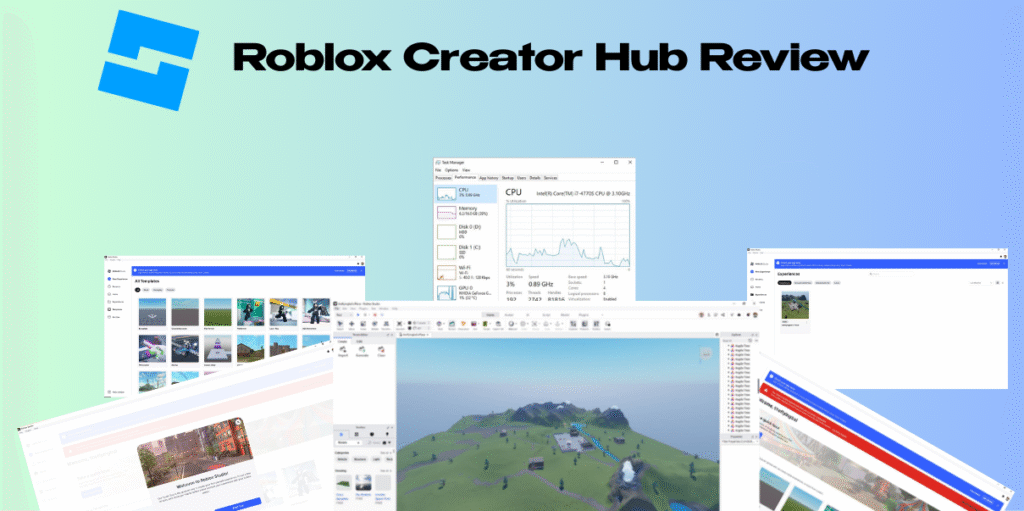
Roblox Creator Hub Review – If you are looking to break into the booming world of game development, you have likely heard of Roblox. But is the Roblox Creator Hub truly the all-in-one powerhouse it claims to be for building, managing, and monetizing games?
This comprehensive Roblox Creator Hub review will break down every feature, tool, and earning potential available on the platform. Whether you are a curious beginner or a seasoned developer looking to pivot, this guide covers everything you need to know about the ecosystem that paid out over $1 billion to creators in 2025.
Introduction
In this Roblox Creator Hub Review, we are diving deep into the engine that powers one of the world’s largest digital economies.
The Roblox Creator Hub is more than just a website; it is the command center for millions of developers. It serves as the bridge between your creative ideas and the massive audience of over 70 million daily active users on Roblox. For years, Roblox development was scattered across different pages—wikis, asset stores, and dashboards. The Roblox Creator Hub unifies these into a single, streamlined interface designed to help you create, scale, and earn.
Who is this for?
- Aspiring Game Designers: If you want to learn how to make games on Roblox without a computer science degree.
- Professional Developers: Studios looking to tap into the lucrative creator economy.
- Educators & Parents: Those wanting to understand the safety and educational value of Roblox creator tools.
Why it matters:
The gaming industry is shifting from closed ecosystems to user-generated content (UGC). Mastering the Roblox Creator Hub gives you a front-row seat to this revolution, offering tools that rival professional engines like Unity, but with built-in multiplayer infrastructure and an instant audience.
What Is Roblox Creator Hub?
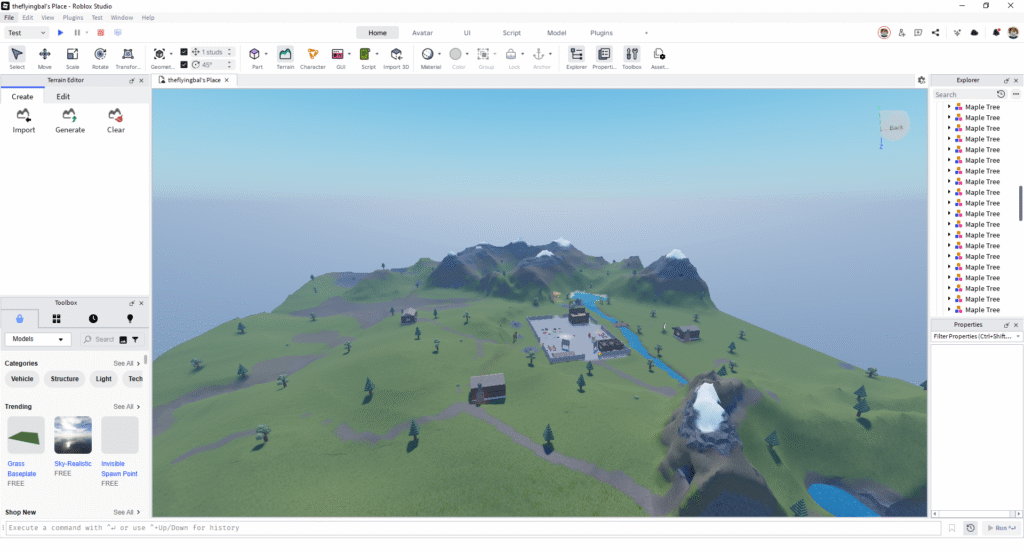
The Roblox Creator Hub is the centralized web-based dashboard and resource center for all things related to Roblox game development. Think of it as the “backend” of your game studio. While Roblox Studio is the software where you actually build the 3D world and write code, the Creator Hub is where you manage the business and logistics of your creations.
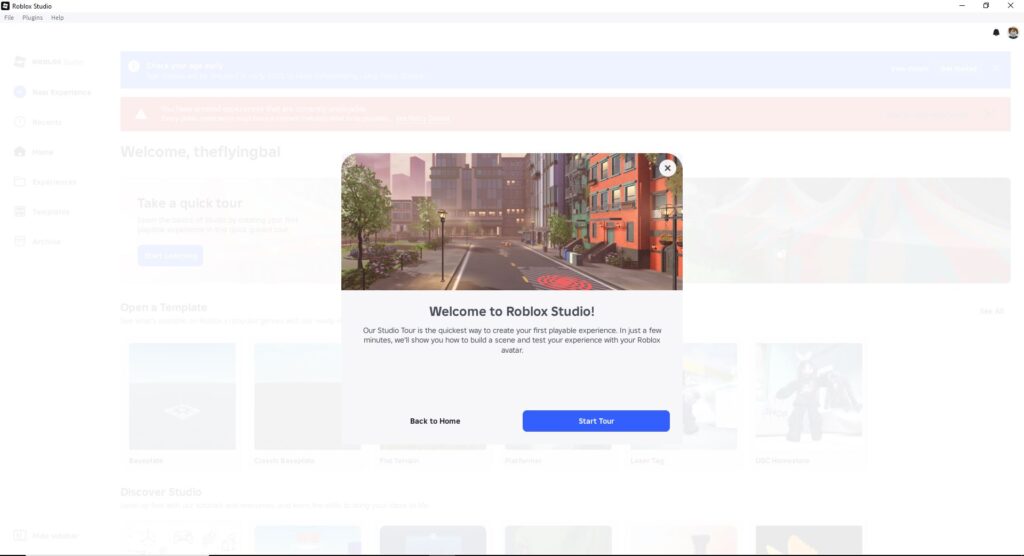
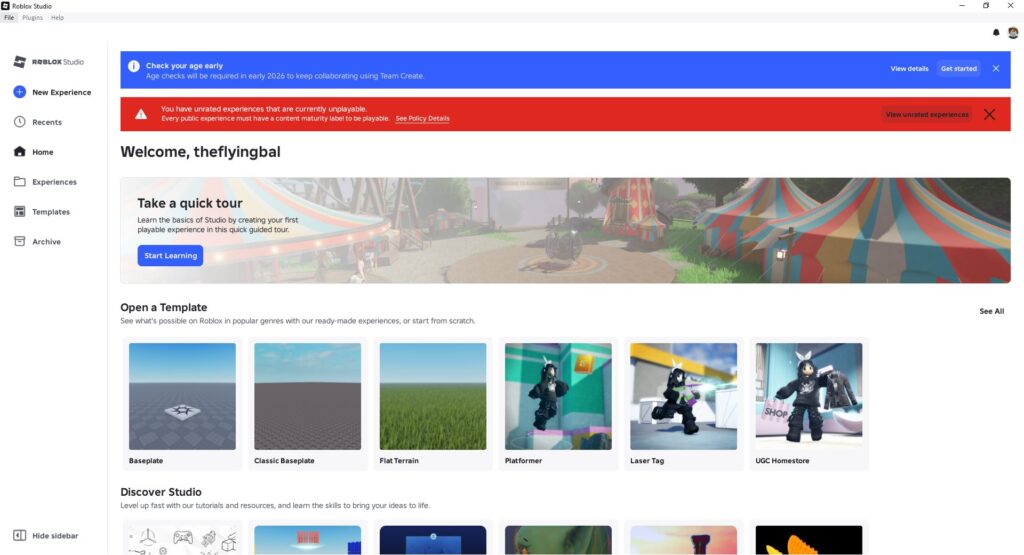
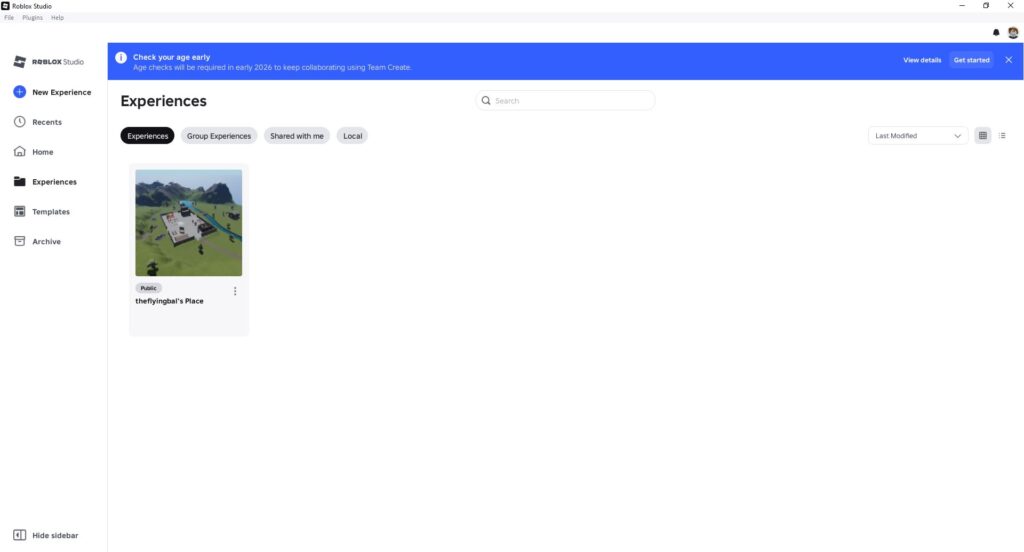
It consolidates four major pillars of development:
- Experience Management: Where you configure game settings, permissions, and localization.
- Analytics & Data: A professional-grade Roblox creator dashboard for tracking player behavior and revenue.
- Documentation & Learning: A massive library of tutorials, API references, and guides for Roblox scripting.
- Talent & Marketplace: A space to hire other developers or buy assets like 3D models and audio.
Previously, developers had to navigate a clunky “Develop” tab on the main Roblox site. The new Roblox Creator Hub offers a sleek, modern interface that separates players from creators, providing a distraction-free environment to focus on building your empire.
How Roblox Creator Hub Works
Understanding how the Hub fits into your workflow is essential for success. Here is the step-by-step lifecycle of a developer using the platform:
1. The Setup Phase
You do not need to pay to start. You simply log in with your Roblox account and navigate to create.roblox.com. This lands you immediately on the Roblox creator dashboard, which gives you a snapshot of your active projects.
2. The Creation Phase (Roblox Studio)
From the Hub, you launch Roblox Studio. This is the engine where the magic happens. You build your map, script your logic in Luau (a version of Lua), and design your UI. The Hub acts as the launcher and version control center for these files.
3. The Management Phase
Once your game (or “Experience”) is built, you return to the Roblox Creator Hub. Here, you set up the game’s page, upload thumbnails, and configure monetization settings like Game Passes.
4. The Analysis Phase
After launch, you live in the Analytics tab. You watch real-time data to see if players are enjoying your game or quitting early. You use this data to push updates, which you then manage again through the Hub.
Roblox Creator Hub Features
The platform is packed with Roblox creator tools designed to make solo development viable. Here are the standout features:
Comprehensive Dashboard
The dashboard is your home base. It lists all your “Experiences” (games), “Places” (individual levels), and assets. It allows for bulk management, which is crucial if you are running a studio with multiple titles.
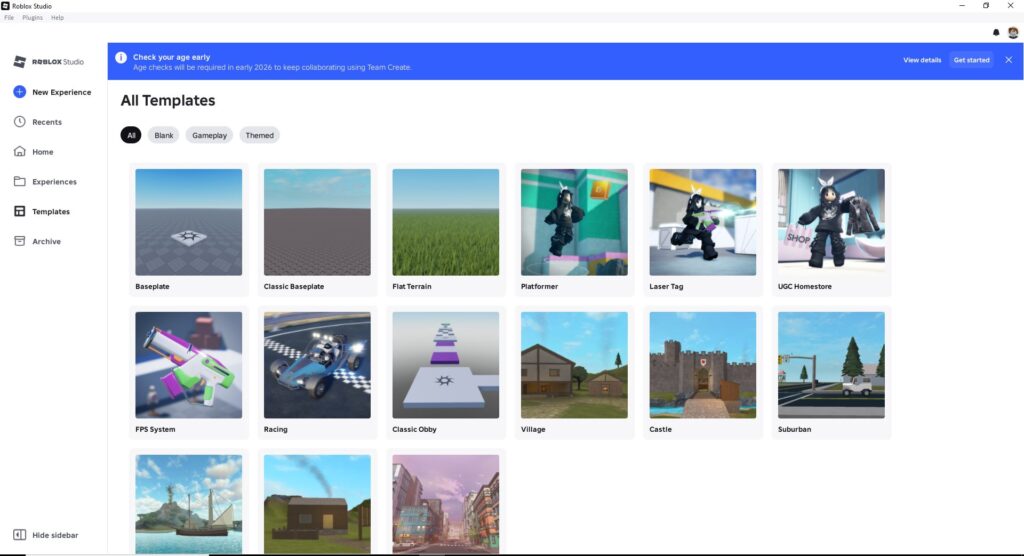
Team Create & Permissions
Game development is rarely a solo act. The Hub allows you to create “Groups” and assign specific roles. You can give a scripter access to the code but restrict them from changing the monetization settings. This granular permission system is vital for professional teams.
The Creator Marketplace
This is an integrated store where you can buy and sell assets.
- Models: Trees, cars, buildings.
- Plugins: Tools that make Roblox Studio easier to use.
- Audio: Sound effects and music tracks.
- Fonts & Images: UI elements to make your game pop.
Localization Tools
Roblox is global. The Creator Hub features an auto-translation tool that can convert your game’s text into Spanish, German, Japanese, and more. This instantly opens your game to millions of non-English speakers.
Roblox Studio Integration
You cannot have a Roblox Creator Hub Review without discussing its other half: Roblox Studio. The Hub and Studio are deeply intertwined.
Roblox Studio is the actual application you download to your PC or Mac. It is a “What You See Is What You Get” (WYSIWYG) editor.
- Physics Engine: Built-in physics means you don’t have to code gravity or collisions from scratch.
- Multiplayer by Default: Unlike Unity, where networking is a nightmare, Roblox game development handles server replication automatically. If you move a block in Studio, it moves for everyone.
- Luau Scripting: The Hub provides the documentation, but Studio includes an intelligent code editor with autocomplete and debugging tools.
The Hub serves as the repository for your Studio files. You can view version history, revert to older saves, and publish changes directly to the cloud without ever handling a file manually.
Monetization & Earning on Roblox
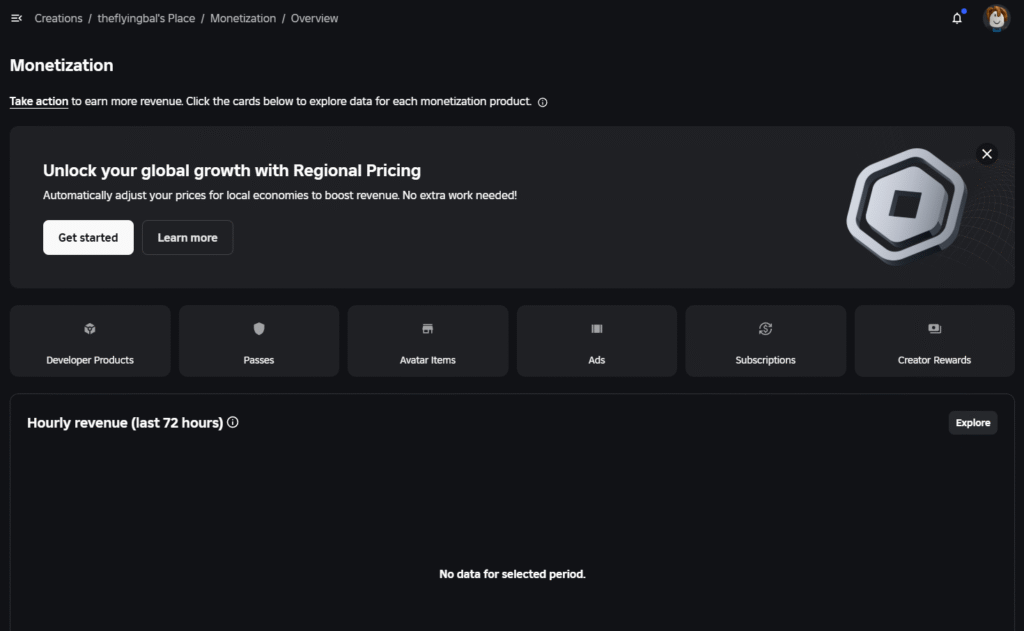
This is the section everyone wants to know about: Roblox developer earnings. Can you actually make a living? Yes, but you need to understand the economy.
Robux: The Currency
Players spend “Robux” in your game. They buy:
- Game Passes: One-time purchases (e.g., a “VIP” badge or a faster car).
- Developer Products: Consumable items (e.g., health potions or ammo).
- Avatar Items: Clothing and accessories you design.
Developer Exchange (DevEx)
This is the program that converts your earned Robux into real-world cash (USD).
- The Rate: As of late 2025/2026, the rate is roughly $0.0038 per Robux.
- The Math: If you earn 100,000 Robux, you can cash out approximately $380.
- Eligibility: You must have Roblox Premium, be 13+, and have earned at least 30,000 Robux.

Engagement Payouts
Even if players don’t spend money, you earn. Premium Payouts reward you based on how much time Roblox Premium subscribers spend in your game. This is a massive boon for free-to-play games that focus on fun rather than aggressive monetization.
Roblox monetization is volume-based. The platform takes a significant cut (roughly 30% goes to Roblox, plus infrastructure costs), but they cover all server hosting, payment processing, and customer support.
Dashboard, Analytics & Creator Tools
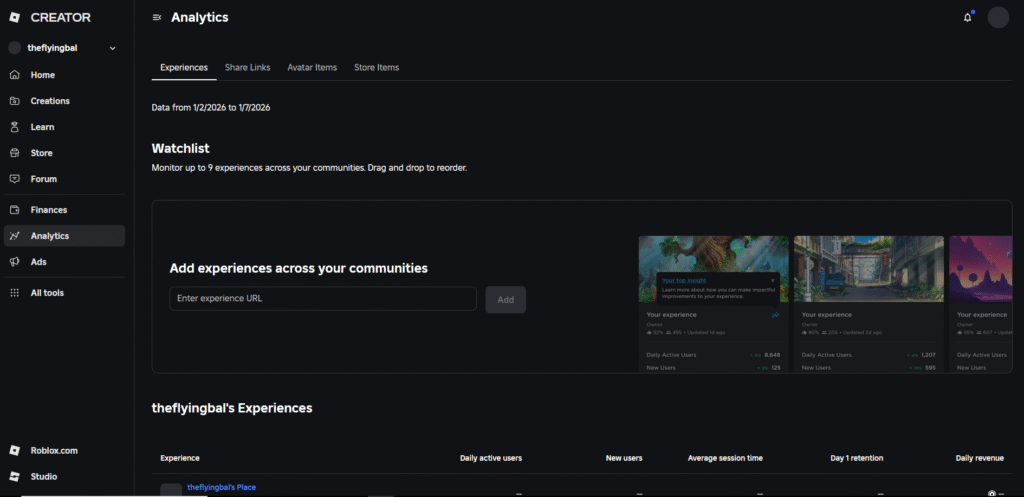
The analytics suite in the Roblox Creator Hub rivals industry standards like Google Analytics.
Real-Time Metrics
You can see exactly how many people are playing right now (Concurrent Users or CCU). This is thrilling to watch after a big update.
Retention Data
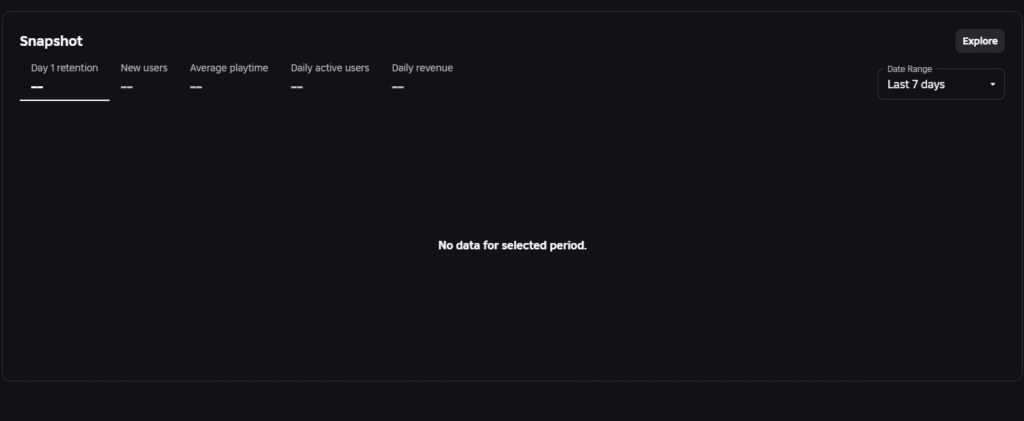
The Hub tracks Day 1 (D1) and Day 7 (D7) retention.
- D1 Retention: The percentage of players who return the next day. A good D1 on Roblox is usually above 10-12%.
- Session Time: How long the average player stays.

Monetization Metrics
- ARPPU (Average Revenue Per Paying User): Tells you how much your “whales” are spending.
- Conversion Rate: The percentage of players who spend any money at all.
Benchmarks
A brilliant feature is “Benchmarking.” The Hub compares your game’s stats against similar games. It might tell you, “Your retention is in the top 50%, but your monetization is in the bottom 20%.” This actionable feedback is gold for optimization.
User Interface & Ease of Use
The Roblox Creator Hub has undergone a massive UI overhaul.
- Clean and Dark: The interface defaults to a sleek dark mode that is easy on the eyes during late-night coding sessions.
- Sidebar Navigation: A persistent left sidebar gives quick access to Creations, Analytics, and Documentation.
- Search Functionality: The documentation search is vastly improved, using AI to surface relevant API references and tutorials quickly.
Is it easy for beginners?
Yes. The dashboard is intuitive. You don’t need to know code to navigate the menus. Creating a new experience is a large, obvious button. However, the sheer depth of the Analytics tab can be overwhelming for a first-time user.
Pros and Cons
Every platform has its flaws. Here is an honest look at the Roblox Creator Hub.
Pros
- Free Server Hosting: You never pay for servers, even if you have 1 million players.
- Instant Multiplayer: Networking is solved for you.
- Massive Audience: Instant access to millions of players without an advertising budget.
- Cross-Platform: build once, deploy to PC, Mobile, Console, and VR.
- Excellent Analytics: Data-driven insights are built-in and free.
Cons
- High Platform Cut: You keep roughly 25-29% of revenue after all fees and exchange rates.
- Discoverability: With millions of games, getting noticed is hard without using Roblox Ads.
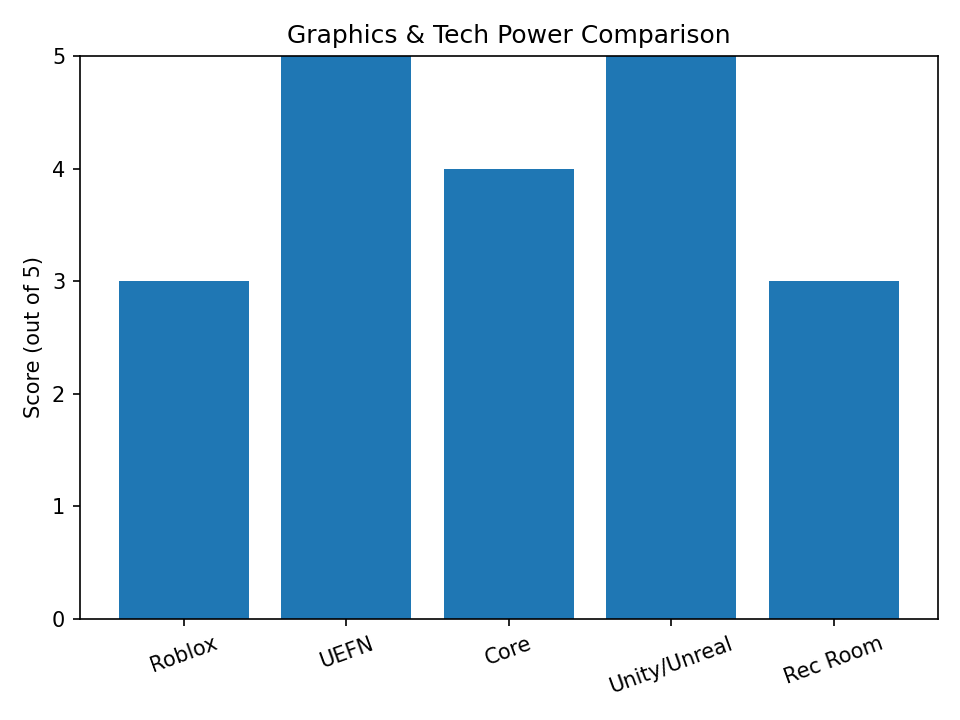
- Limited Graphical Fidelity: While improving, it still lags behind Unreal Engine 5.
- Strict Moderation: Your assets can be banned by bots if they trigger safety filters erroneously.
Who Should Use Roblox Creator Hub?
- The Solo Indie Dev: If you are one person who wants to make a multiplayer game, Roblox is the only viable option. Doing networking solo in Unity is incredibly difficult.
- Coding Students: Roblox scripting using Luau is forgiving and a great introduction to text-based coding.
- Artists: You can make a living just selling 3D models and clothes in the Marketplace without writing a line of code.
- Startups: Small teams are forming specifically to build on Roblox because the development cycle is so fast (months instead of years).
Roblox Creator Hub Alternatives
While the Roblox Creator Hub is the undisputed king of easy-access multiplayer development, it is not the only player in town. Depending on your goals—whether you want better graphics, higher revenue shares, or full creative control—you might find a better home elsewhere.
Here are the top alternatives to Roblox game development in 2026.
1. UEFN (Unreal Editor for Fortnite)
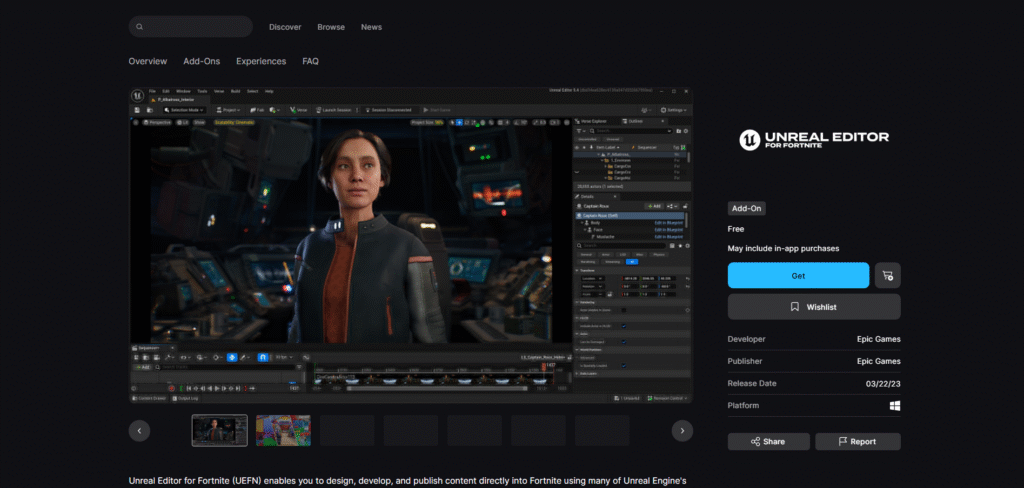
The biggest threat to Roblox’s dominance is Fortnite Creative 2.0, powered by UEFN.
- Best For: Creators who want realistic graphics and fair pay.
- The Difference: UEFN gives you access to the professional tools of Unreal Engine 5 but keeps the “play instantly” nature of Fortnite. You don’t need to build servers; Epic Games handles it.
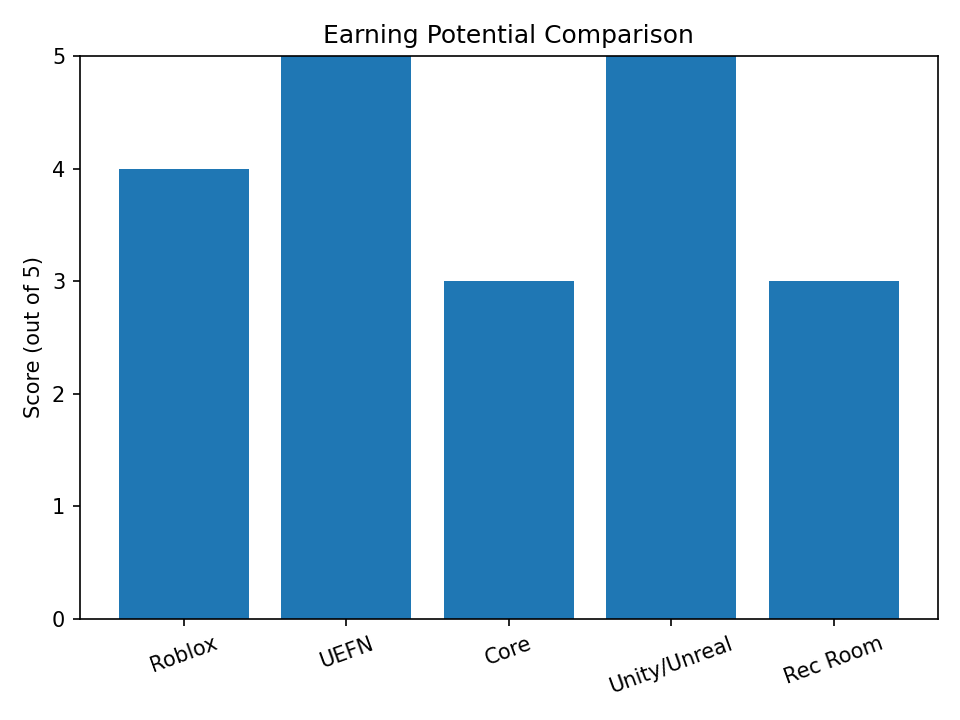
- Money: Epic Games offers a much more generous engagement payout pool, and through 2026, they are offering 100% net revenue on custom cosmetic items sold in your islands. Compared to Roblox’s ~25% effective take-home, this is a game-changer.
- Verdict: If you are willing to learn the Verse programming language, UEFN offers higher earning potential and visual fidelity.
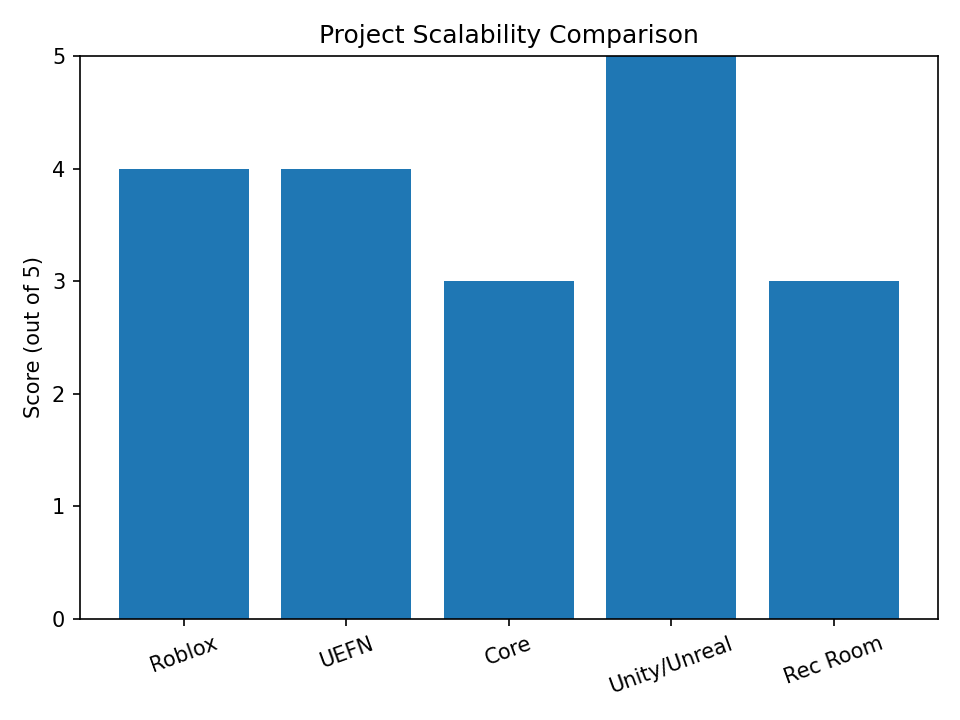
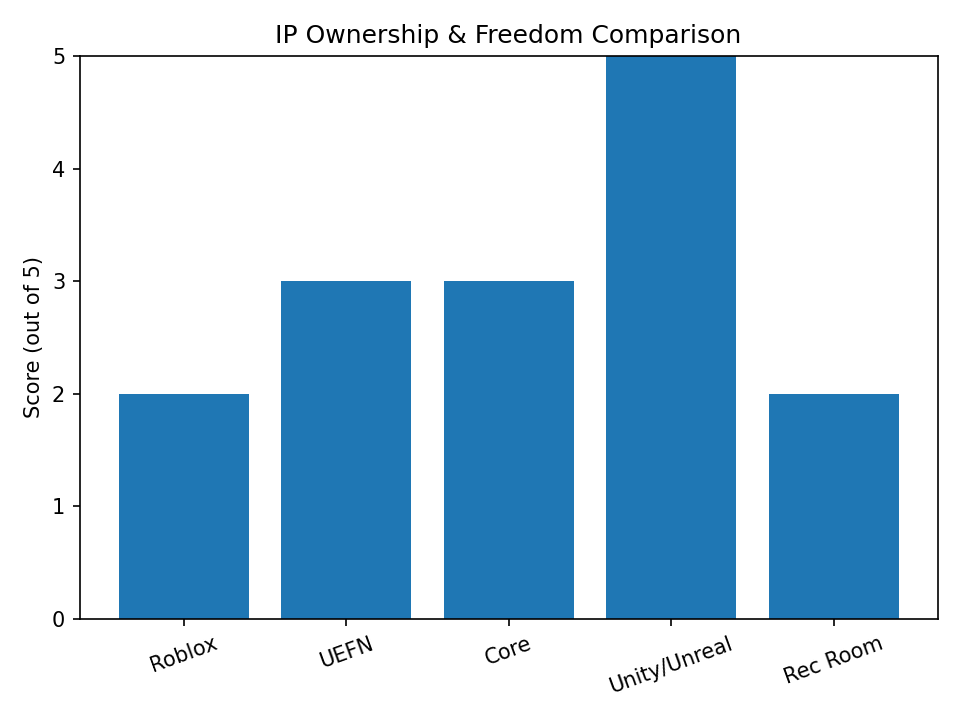
UEFN is positioned as a high-ceiling, professional-grade creator platform. It trades ease-of-use for vastly higher technical limits, revenue potential, and long-term scalability compared to classic user-generated game platforms.
2. Core Games
Think of Core as “Roblox for a slightly older audience,” built on Unreal Engine.
- Best For: Hobbyists who want the “drag-and-drop” ease of Roblox but with better lighting and physics out of the box.
- The Difference: Like Roblox, it is a platform, not just an engine. You publish to the Core browser. The visuals are less “blocky” and more realistic.
- Money: Core offers a 50% revenue share to creators, which is significantly better than Roblox, though the player base is much smaller.
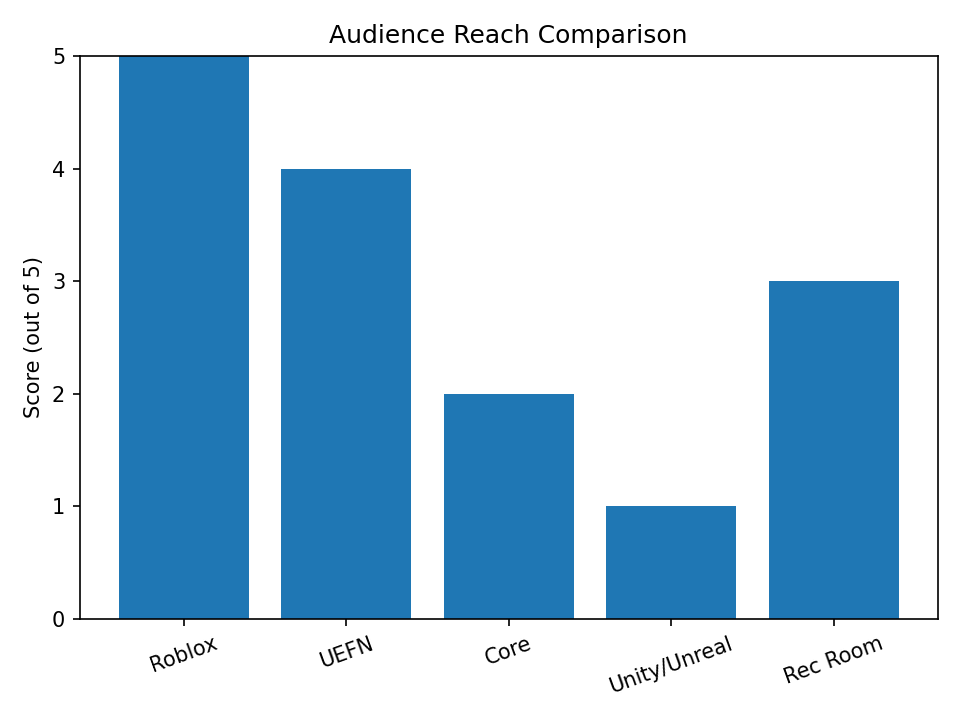
- Verdict: Great for testing ideas, but the audience size is a fraction of Roblox’s 70+ million daily users.
Core sits in a unique middle-ground: far more powerful than Roblox Studio, but far easier than full Unreal. Its main constraint is not technology — it’s audience scale and discovery velocity.
3. Unity & Unreal Engine (Standalone)
If you want to build a standalone app (like Among Us or Genshin Impact) rather than a game-within-a-game.
- Best For: Professional careers and total ownership.
- The Difference: You are not building inside a hub. You build an executable (.exe or .apk) and sell it on Steam or the App Store. You must handle your own multiplayer servers and marketing.
- Money: You keep 70-88% of your revenue (Steam/Apple takes 30%, Epic Store takes 12%).
- Verdict: The “Pro” route. Harder to start because you have zero built-in traffic, but the ceiling for success is infinite.
This route is not a “platform play” — it is a pure business venture. You trade safety and traffic for absolute control, unlimited upside, and full ownership — but also accept maximum financial and technical risk.
4. Rec Room
A strong contender if you are interested in VR game development.
- Best For: Social, VR-first experiences.
- The Difference: The building tools are entirely in-game. You can put on a VR headset and “sculpt” your world with your hands, which is incredibly intuitive for non-coders.
- Money: The creator economy exists, but conversion rates from their “Tokens” to real money can result in a low effective yield similar to Roblox.
- Verdict: The best choice for social VR, but less viable for traditional screen-based gaming.
Rec Room is a creative playground and social VR hub — not a high-efficiency business platform. It excels at fast creation and social presence, but its monetization mechanics and VR-only ceiling limit its use as a serious commercial game publishing ecosystem.
Roblox Creator Hub vs Other Game Platforms
How does the Roblox Creator Hub Review stack up against the titans of the industry?
| Feature | Roblox Creator Hub | Unity | Unreal Engine |
| Language | Luau (Simple) | C# (Intermediate) | C++ / Blueprints (Complex) |
| Server Hosting | Free & Automatic | You pay & manage | You pay & manage |
| Revenue Share | You keep ~25-30% | You keep ~90-95% | You keep ~88-95% |
| Graphics | Stylized / Mid-tier | High Fidelity | Photorealistic |
| User Acquisition | Built-in Audience | You market yourself | You market yourself |
| Publishing | 1-Click to all devices | Manual porting required | Manual porting required |
The Verdict: Choose Roblox if you want to focus on game design and community without worrying about infrastructure. Choose Unity/Unreal if you want total control and higher revenue percentages, but are willing to do 10x the work.
Roblox Creator Hub vs UEFN vs Unity: Data Breakdown
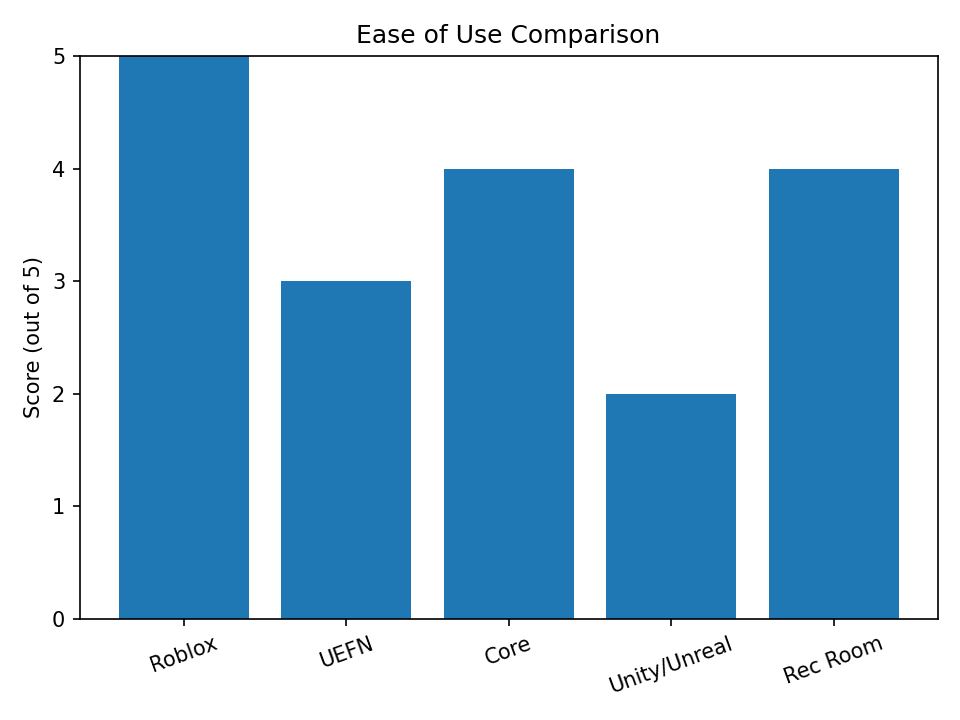
Platform Comparison Charts for Roblox Creator Hub competitors
Ease of Use Comparison
Earning Potential Comparison
Graphics & Tech Power Comparison
Audience Reach Comparison
Project Scalability Comparison
IP Ownership & Freedom Comparison
Is Roblox Creator Hub Safe?
Safety is a huge priority for Roblox, especially given its young user base.
For Developers:
- Asset Protection: The Hub has strict IP protections. You can archive your assets to prevent theft.
- 2FA (Two-Factor Authentication): Mandatory for withdrawing money (DevEx) and accessing sensitive settings.
- Moderation: Every image, sound, and mesh you upload is scanned. This keeps the platform safe but can sometimes lead to frustrating “false positives” where a harmless texture is rejected.
For Players:
The Hub ensures that developers cannot inject malicious code that harms a player’s computer. The Luau environment is “sandboxed,” meaning scripts can only run within the game and cannot access a user’s files or system.
FAQs
Is the Roblox Creator Hub free to use?
Yes, the Roblox Creator Hub and Roblox Studio are 100% free. You only pay a cut of your earnings if you monetize.
How much does Roblox pay developers?
Through the Developer Exchange (DevEx), Roblox pays approximately $0.0035 – $0.0038 per Robux. Top developers earn millions of dollars annually.
Do I need to know coding to use Roblox Creator Hub?
To make a full game, yes, you need to learn Roblox scripting (Luau). However, you can use free models or team up with a scripter if you are just a builder.
What is the difference between Roblox Studio and Creator Hub?
Roblox Studio is the software for building the game. Roblox Creator Hub is the website for managing the game, viewing analytics, and handling monetization.
Can I use Roblox Creator Hub on mobile?
You can access the Hub dashboard on mobile to check stats and reply to comments, but you cannot use Roblox Studio to build games on a phone.
How do I get paid on Roblox?
You need to earn at least 30,000 Robux and have a Premium membership. You then apply for “DevEx” in the Creator Hub to receive a bank transfer.
Is Roblox better than Unity for beginners?
For multiplayer games, yes. Roblox handles all the servers and networking, which is the hardest part of game dev.
What are “Immersive Ads” in the Creator Hub?
These are billboard-style ads you can place inside your game. When players look at them, you earn money.
Can I get banned from the Creator Hub?
Yes, if you violate the Terms of Service (e.g., uploading adult content, scams, or stolen assets), your account can be suspended.
How do I optimize my game for Bing and Roblox search?
Use the Hub to write a clear Title and Description with relevant keywords. Good thumbnails and high retention rates (viewable in Analytics) also boost your ranking.
Final Verdict
To conclude this Roblox Creator Hub Review: The platform is a marvel of modern democratization.
It has successfully lowered the barrier to entry for game development to near zero. While the revenue share is steep compared to Unity or Unreal, the value proposition—free hosting, instant multiplayer, and access to 70 million daily users—is unmatched.
If you are looking to build a career in the creator economy, or simply want to learn how to make games on Roblox, the Roblox Creator Hub is the best place to start. It is professional enough for studios yet accessible enough for students.
Next Step: Ready to build your dream game? Head over to the Roblox Creator Hub today, download Studio, and create your first baseplate. The metaverse is waiting for you.

Abdullah Zulfiqar writes about technology in a simple, practical way, helping readers stay updated and make smarter decisions in an ever-evolving digital world.